• Home
  • About
    • Contact Me
  • Privacy Policy
  • PR OK
    • Sponsorship Opportunities
  • My Connections
  • Easy Recipes

The Mom Maven

Tales, Tastes & Travels

  • Reviews
  • Giveaways
  • Entertainment
  • Disney
    • Mouse House Memories
  • Travel
    • Florida Attractions
      • Adventure Island
      • Aquatica
      • Busch Gardens
      • Discovery Cove
      • Disney
      • Legoland Florida
      • SeaWorld
      • Universal
    • United States
    • International
    • Cruising
  • Faith
  • Parenting
  • Blogging
  • Wedding
You are here: Home / Reviews / Go Back to School with Epson

Go Back to School with Epson

This article may include a provided product or affiliate link. See footer for full details.”

September 9, 2014 by cindy 4 Comments

Tweet

Disclosure of Material Connection: Some of the links in this post are “affiliate links.” This means if you click on the link and purchase the item, I will receive an affiliate commission. Regardless, I only recommend products or services I use personally and believe will add value to my readers. I am disclosing this in accordance with the Federal Trade Commission’s 16 CFR, Part 255: “Guides Concerning the Use of Endorsements and Testimonials in Advertising.”
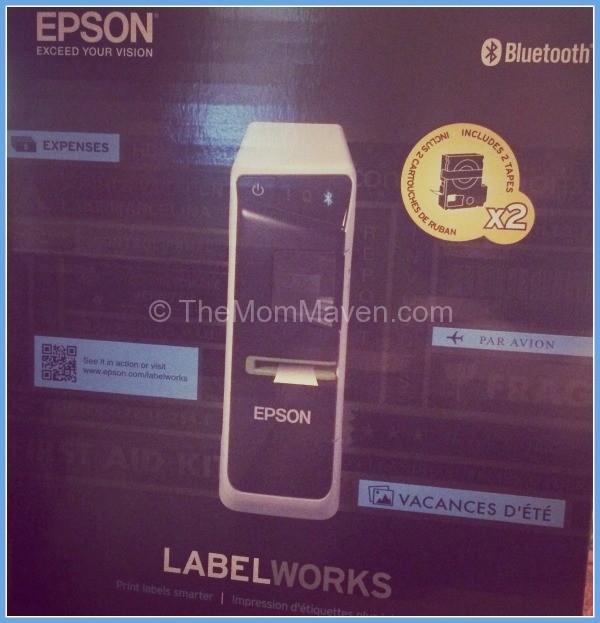
How many time have you sent items to school only to have them disappear? It could be a pencil box, jacket, hat or backpack-it doesn’t matter but odds are, if it isn’t labeled it isn’t coming back. Yes, there are lots of ways you can label your kids stuff, and yours too. My favorite new tool is the Epson LW600P. The LabelWorks 600P is the first app-enabled label printer!

Epson LW 600P-TheMomMaven.com

About the Epson LabelWorks 600P

The Epson LW-600P and iLabel app takes full advantage of the capabilities of smart phones and tablets to offer features never before available with traditional label makers, such as:

  • “True-view” label preview capability using the camera function to ensure labels perfectly match what’s on the screen
  • Wirelessly create, edit and print labels
  • Handwriting mode for custom drawing or annotation of labels using the touch screen interface
  • Speech-to-text voice transcription and printing
  • In-app storage of created label for future use
  • Import of custom graphics such as symbols, logos and photographs to copy & paste onto labels for a more professional look or to add a personalized touch
  • Creation of QR code labels for content sharing or barcode labels for inventory management which can be scanned by third-party QR/barcode apps
  • Lightweight, small form factor – the smallest 24mm (~1”) label printer on the market
  • Includes over 100 label design templates and 400 symbols
  • Compatible with a variety of tapes, including iron-on, glow-in-the-dark, metallic reflective and ribbons
  • Bluetooth® connectivity for use with smart phones and tablets
  • Can be used on AC or battery power

To use the LabelWorks 600P

  1. Download the Epson iLabel app for your Apple or Android device
  2. Drop in the label cartridge you want to use
  3. Turn on the label maker
  4. Connect your device and the label maker either with the enclosed cable or via Bluetooth
  5. Create your label on your device
  6. Print

Epson LabelWorks 600P-TheMomMaven.com

Mom Maven’s Thoughts

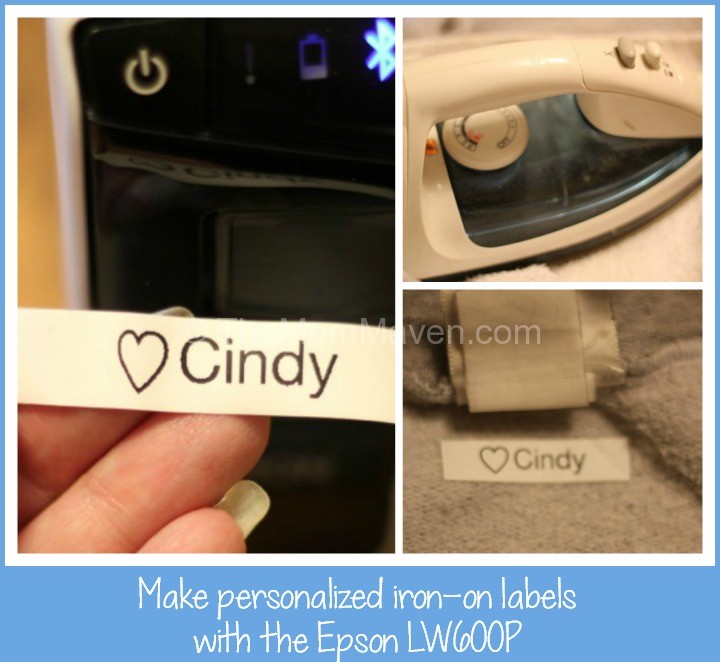
I have wanted my own label maker for some time now. I love that the LabelWorks 600P is portable and has Bluetooth connectivity. I have created labels for organizing things and I have used the iron-on labels to label my favorite hoodie, which I have been know to leave behind at church. This label maker is easy to use and it is easy to customize your labels with icons too. I am now thinking about making personalized ribbons for Aaron & Summer’s wedding! The Epson LabelWorks LW-600P App-enabled, Portable Label Printer is a great asset for any busy parent.

New signature

Disclosure of Material Connection: I received one or more of the products or services mentioned for free in the hope that I would mention it on my blog. Regardless, I only recommend products or services I use personally and believe will be good for my readers. I am disclosing this in accordance with the Federal Trade Commission’s 16 CFR, Part 255: “Guides Concerning the Use of Endorsements and Testimonials in Advertising.”

Filed Under: Reviews Tagged With: back-to-school, epson, label maker

About cindy

I'm Cindy aka TheMomMaven. I'm a happily married empty nester living in Tampa Bay. I love all things Disney and I blog about easy recipes, family travel, family entertainement as well as product reviews and giveaways.

Comments

  1. James Robert says

    September 11, 2014 at 6:31 am

    My oldest girls would really like this and could get a lot of use for things they wear to school. Sometimes, a lot of the kids have the same items as far as jackets, etc. This would be great to help

    Reply
  2. MITZI says

    September 19, 2014 at 8:39 am

    I need this! Labels make me feel organized– great for organizing your holiday boxes and things for storage, too!
    MITZI recently posted..Quick and Easy Painted PumpkinsMy Profile

    Reply
    • cindy says

      September 19, 2014 at 12:25 pm

      Me too Mitzi! I label everything!

      Reply
  3. Tammy says

    September 20, 2014 at 12:21 am

    Very interesting! If I ever get a smart phone, I may have to look into this more!
    Tammy recently posted..Pumpkin Coffee Cake with Crumb Topping and Glaze #linkyMy Profile

    Reply

Leave a Reply Cancel reply

Your email address will not be published. Required fields are marked *

Recipe Rating


CommentLuv badgeShow more posts

You can add a link to follow you on twitter if you put your username in this box.
Only needs to be added once. No http or @

Join Me Around the Web

  • RSS
  • Pinterest
  • Instagram
  • facebook
  • twitter
  • youtube

Disclosure Policy

This policy is valid from 02 April 2009. This blog is a personal blog written and edited by me. For questions about this blog, please contact info@themommaven.com. This blog accepts forms of cash advertising, sponsorship, paid insertions or other forms of compensation. The owner(s) of this blog is compensated to provide opinion on products, services, websites and various other topics. Even though the owner(s) of this blog receives compensation for our posts or advertisements, we always give our honest opinions, findings, beliefs, or experiences on those topics or products. The views and opinions expressed on this blog are purely the bloggers' own. Any product claim, statistic, quote or other representation about a product or service should be verified with the manufacturer, provider or party in question. This blog does contain content which might present a conflict of interest. This content will always be identified. To get your own policy, go to http://www.disclosurepolicy.org

Creative Commons License
This work by Cindy Schultz is licensed under a Creative Commons Attribution-Noncommercial-No Derivative Works 3.0 United States License.


BlogWithIntegrity.com